Keep the repair in view.
Review, Changes, History, and Alternatives are contextual views of one selected repair. The question changes; the work stays connected.
Code, considered.
What brings you here?
BWO / The Workbench direction
A considered repair brings the edits, the constraint they preserve, and the evidence behind the choice into one view. Explore the new Workbench design for BWO.
Discuss a pilot Explore BWO today ↗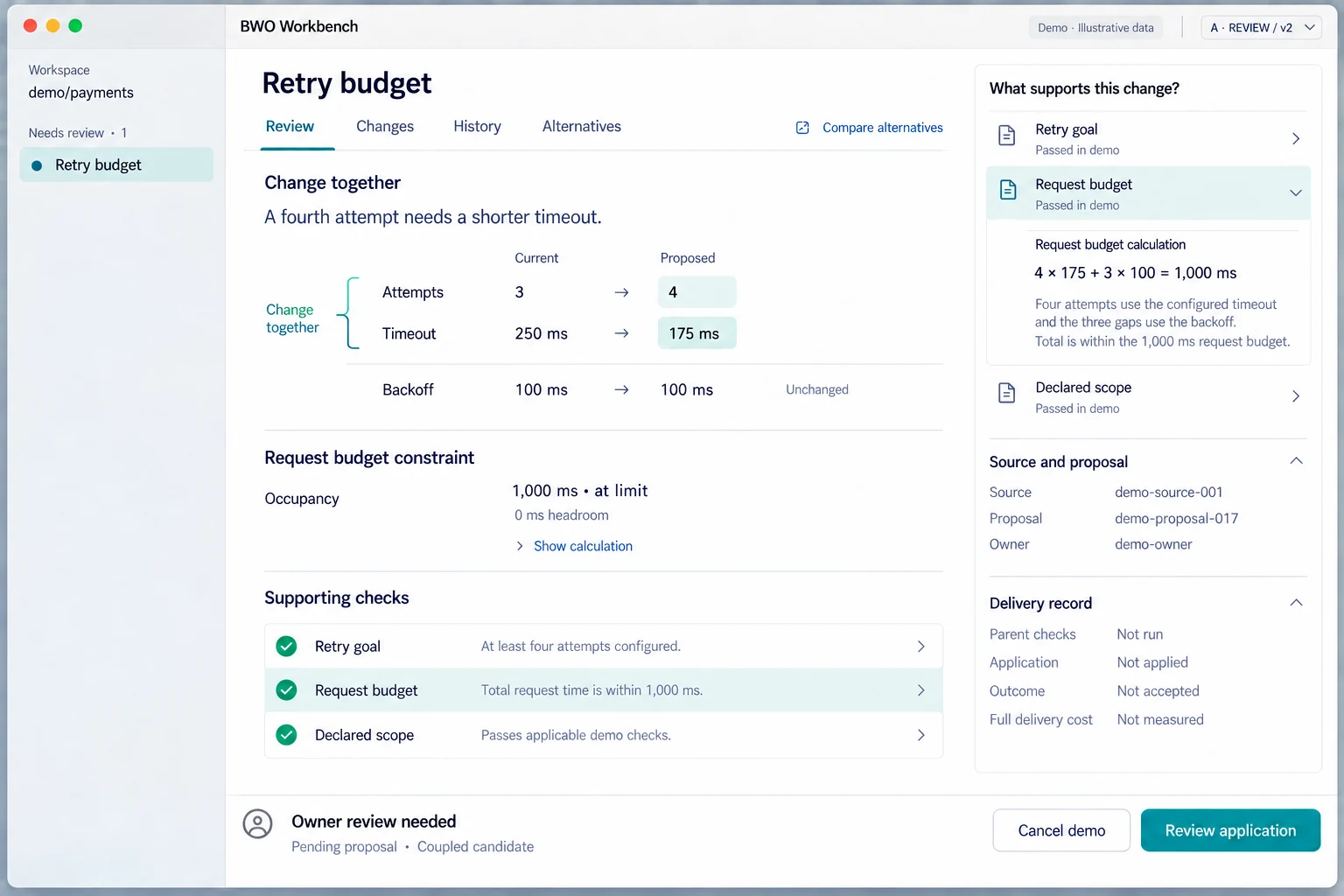
Generated concept renders, not captured app screens. The native macOS scaffold is in development; native qualification and live BMO integration remain pending.
THE DESIGN PRINCIPLE / PRESERVE THE RELATIONSHIP
A fourth retry looks like a small change. With the old timeout, it exceeds the request budget. The Workbench study makes that relationship the center of the review.
Illustrative retry fixture. These values explain the design; they are not a performance measurement.
| Setting | Current | Proposed |
|---|---|---|
| Attempts | 3 | 4 |
| Timeout | 250 ms | 175 ms |
| Backoff | 100 ms | 100 ms Unchanged |
4 × 175 + 3 × 100 = 1,000 ms
At limit · 0 ms headroomA QUIETER SURFACE / A CLEARER DECISION
Review, Changes, History, and Alternatives are contextual views of one selected repair. The question changes; the work stays connected.
A result belongs to the state and coverage it examined. Unknown cost stays unknown. New code can require new evidence.
The design separates qualification, owner approval, application, independent verification, and acceptance of the resulting state.
BWO is a terminal coding agent. Its configured coordination workflows move separate investigations toward a shared goal; returned work still needs reconciliation and checks against the original task.
Explore multi-agent workflowsA clearer review: what changes together, what stays true, and what still needs your judgment.
Inspect evaluation material ↗In each, changes can pass on their own. Together, they can break something that must still be true.
Request a pilotYOUR REPOSITORY / YOUR NEXT QUESTION
Read the workflow that fits your starting point, then use the setup guide to choose your environment and permissions.